

During a conversation, help is needed at an awkward moment: you are already listening, trying to understand the question and remembering what you meant to say. Adding another talkative intelligence may increase the number of participants without making anything clearer.
I am building CallCoach as a native macOS prototype. The SwiftUI interface keeps the transcript, script and prompt close together. I need one short line that can be spoken immediately. A person cannot read a model’s explanation while talking.
Conversation arrives in pieces
Microphone audio goes through AVAudioEngine; system audio uses a separate ScreenCaptureKit path. Recognition uses Apple’s speech APIs. Text updates then enter the prompting layer.
The screenshot shows CallCoach for macOS from the current project version. Real Estate mode is open: transcript space on the left, quick replies and conversation stages on the right. This is a preview of a prepared line; call recording was not started.
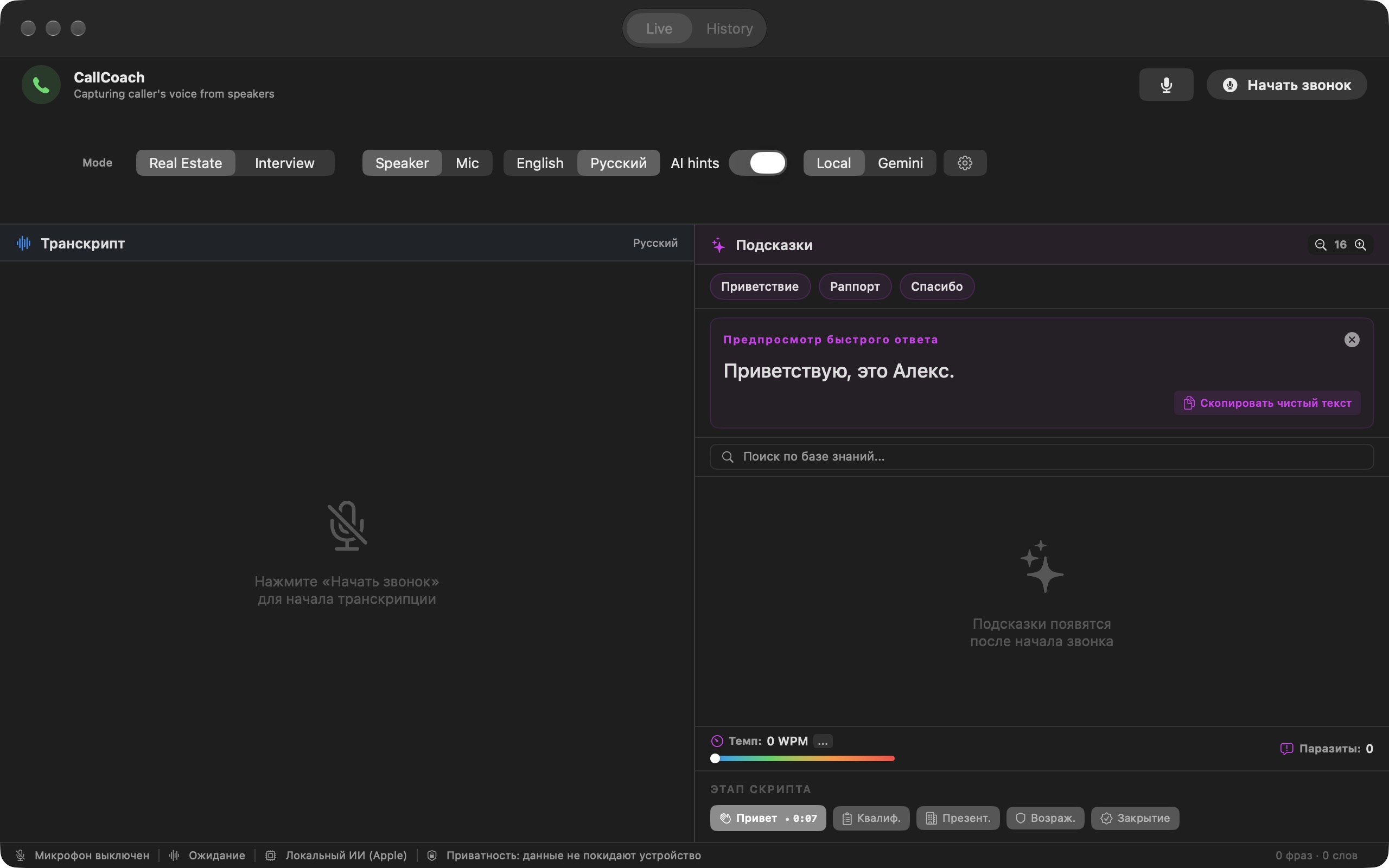
Every intermediate word must not trigger a new recommendation. The current code coalesces updates with a 450-millisecond delay. That is a processing parameter, not a promised end-to-end latency: capture, recognition and generation each add time.
Context is limited too. Knowledge-base search uses a recent conversation fragment; the model request contains a window of recent words, not an endless transcript. Otherwise, the application gradually starts discussing the beginning of the call after the people have moved to a completely different subject.
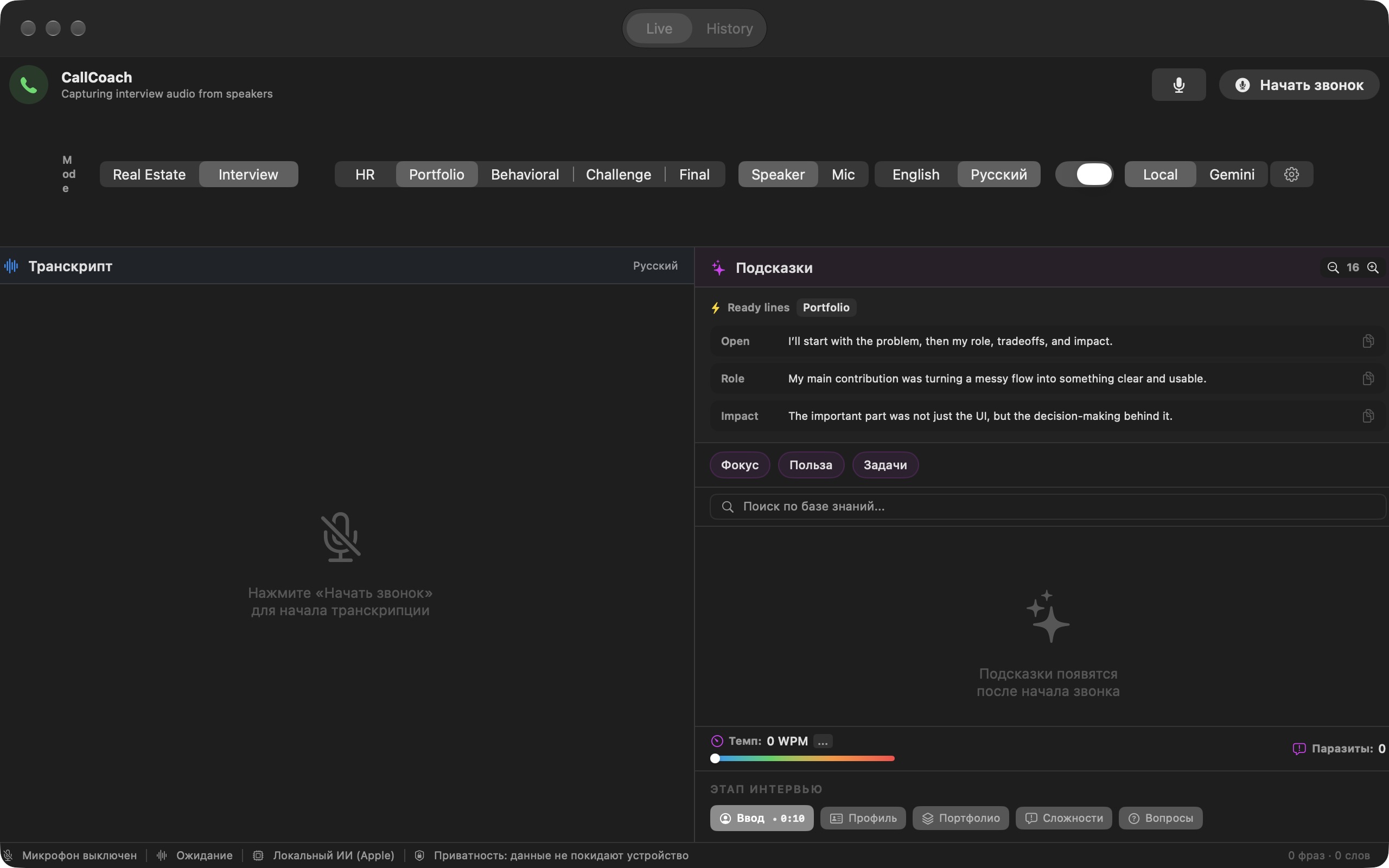
In Interview mode, the same interface helps prepare for a job interview. Portfolio is selected: short prepared lines cover the task, personal role and result. This is the real app window without conversation recording.
“Knows my subject” does not mean “I trained the model”
The project includes conversation scenarios, checkpoints and retrieval of relevant knowledge-base fragments. This is context provision and search, not training model weights. The difference matters: a new document may help an answer, but does not turn the system into a verified expert.
Local generation uses Foundation Models, after checking device availability. The code also includes an optional Gemini Live cloud mode. Cloud mode is off by default, but selecting it sends audio down a different processing route. A promise that “everything always stays on the Mac” would therefore be wrong.
The hardest part is on the screen
A prompt can be correct and still get in the way: arrive late, repeat the obvious, obscure something needed or require too much reading. This needs testing in real conversations on specific hardware. The repository proves neither recognition quality nor conversational skill.
The screenshots show the real application window and previews of prepared lines. They demonstrate the interface structure, not live conversation recognition quality. The next check is whether a short prompt is timely and useful on specific hardware.
Related stories: Conversational portfolio.

@nevsky_alexander
On Instagram: Dubai beyond the postcard — family, the city, discoveries and life between projects. On Threads: thinking out loud about design and AI. On YouTube: videos that need more room than a story. Follow me wherever you feel at home, and let’s keep in touch