Every story has its own scale
TEXT.H1First level header
H1 size inside the text area. The page title is presented with a separate header — its options are shown below.
A catalogue of publication styles: typography, images, galleries, cards, video and header layouts. Compare live examples, choose a style and copy its chat command. Each example has a permanent code. Specify that code and a location in the article to apply the style to the right passage or image.
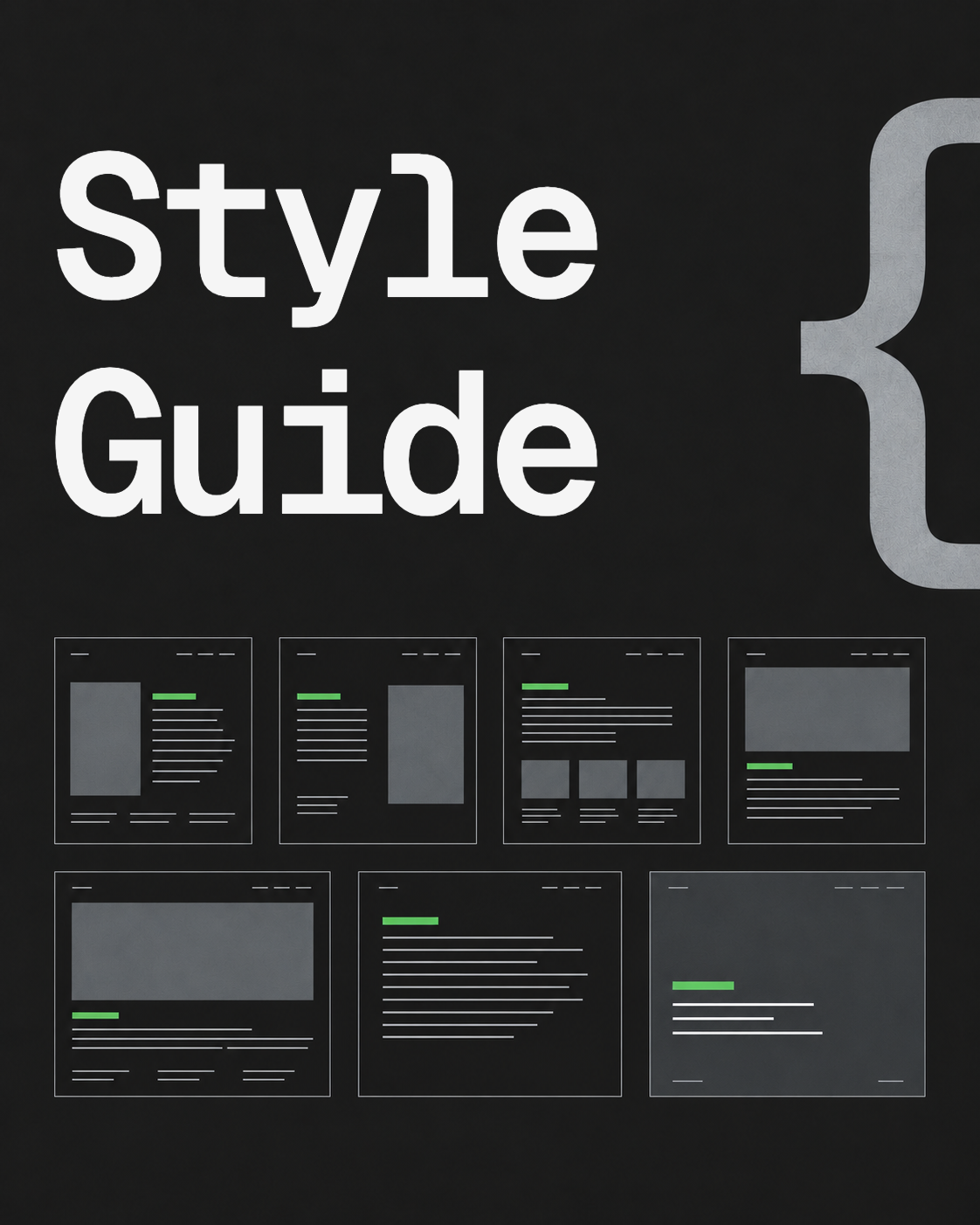
Sometimes “a little wider” means 800 pixels, and sometimes it means almost the entire screen. Here you can point your finger at the desired option and copy its code. The words finally had a common size.
Select a sample, copy the command and specify a location in the material. Each technique has a constant code: QUOTE.RULE, IMAGE.WIDE or, for example, GALLERY.TWO-ONE.
TEXT.H1H1 size inside the text area. The page title is presented with a separate header — its options are shown below.
Every story has its own scale
TEXT.H2A new thought gets a noticeable start. This is the main level within the article.
The title gives the text direction
TEXT.H3The section has grown — let’s divide it into understandable parts.
Now you can see the details
TEXT.H4Another level when without it it is more difficult for the reader to navigate.
A slight twist within the section
TEXT.H5Rare extra level. Does not replace normal oily secretions.
Quiet clarification
TEXT.H6The last level of the hierarchy; in most articles we don’t get to it.
The last step
TEXT.PARAGRAPHThe basis of the article. Here the text can calmly explain, connect and tell.
Design works when you stop noticing it. The paragraph maintains a comfortable line width, the link knows its place, and the next heading appears exactly when it’s time to change the topic.
TEXT.BOLDHighlight an important word while maintaining a normal paragraph.
What is important in this phrase is one solution. The rest of the words don’t need to be spoken louder.
TEXT.UNDERLINEA small trick inside the line. Each selection has its own task.
Example: underlined fragment
TEXT.STRIKEA small trick inside the line. Each selection has its own task.
Example: old wording
TEXT.CODEA small trick inside the line. Each selection has its own task.
Example: image.wide
TEXT.SUPA small trick inside the line. Each selection has its own task.
Area — m2
TEXT.SUBA small trick inside the line. Each selection has its own task.
Formula — H2O
TEXT.LINKThe regular link remains part of the offer.
When you need a set of colors and buttons, open Design system.
QUOTE.RULEGeist Mono and vertical stripe. Highlights an idea while maintaining the width of the text.
A good quote leaves the reader with a thought and the design only the work of highlighting it.
QUOTE.ACCENTLarge line without stripe. For an introduction or a thought worth dwelling on.
The reader notices the rhythm first. Then — what they wanted to tell him.
LIST.BULLETSeveral equal thoughts, including nested points.
LIST.NUMBEROrder is important: steps, sequence, consistency.
TEXT.DIVIDERA pause between parts of a story without a new title.
TEXT.CODE-BLOCKCommands and examples get their own place.
Стиль: IMAGE.WIDE
Пропорция: RATIO.4X5
Место: после второго абзаца
Текст: без измененийTEXT.TABLEWhen several options are easier to compare side by side.
| Task | Technique |
|---|---|
| Highlight a thought | Quote with a vertical rule |
| Show episode | Gallery |
| Continue conversation | Card with link |
For new materials, we keep five main presets: 9:16, 16:9, 4:5, 5:4 and 1:1. The rest are additional options for photography and previews. Proportion is the source form; “regular / wide / full width” — block size on the page.
For Instagram, we distinguish between photo feeds and vertical videos. 9:16 preparing for Stories/Reels; for photo tape, the basic portrait is 4:5. Application, API, and advertising formats may vary. For the blog, all these proportions are preserved without cropping; Before transferring to Instagram, we select the appropriate preset for a specific placement.
RATIO.9X16Vertical screen · 1080 × 1920. Main canvas for Stories and Reels. For the photo in the feed you will need a separate frame.

RATIO.16X9Horizontal video · 1920 × 1080. Good for YouTube, screencasts and wide illustrations.

RATIO.4X5Portrait · 1080 × 1350. The main vertical format for photos and strip cards.

RATIO.5X4Calm horizontal frame · 1350 × 1080. The same pair of sides, rotated 90°.

RATIO.1X1Square · 1080 × 1080. Universal card, cover or compact plot.

RATIO.3X4Additional portrait · 1080 × 1440. Save as a separate preset; We check the compatibility of a specific upload method on Instagram before release.

RATIO.4X3Classic horizontal frame · 1440 × 1080. Good for photographs and detailed diagrams.

RATIO.3X2Photographic horizontal frame · 1620 × 1080. Natural format of many cameras.

RATIO.2X3Vertical photo · 1080 × 1620. The entire photo is saved for the blog; For the Instagram feed we are preparing a separate 4:5 crop.

RATIO.191X100Wide card · 1910 × 1000, or 1200 × 630 with almost the same ratio. Useful for link previews.
IMAGE.REGULARRemains in the text column: maximum 800 px.
IMAGE.WIDEExtends beyond the text but retains the side margins. Maximum 1400 px.
IMAGE.FULLReaches to the edges of the publication area. The sidebar remains in place.
IMAGE.CAPTIONThe caption is a separate line under the picture. There is no end point; alt describes the image for those who can’t see it.
From one to three images in a row. The gallery has a common caption; Each picture has its own alt. Individual labels are not displayed in the current grid. On the phone, rows can be rearranged according to the rules of the topic.
GALLERY.TWOThe total width of the row, the original proportions and one caption for the entire series. The order of images is common to all languages.
GALLERY.THREEThe total width of the row, the original proportions and one caption for the entire series. The order of images is common to all languages.
GALLERY.TWO-TWOThe total width of the row, the original proportions and one caption for the entire series. The order of images is common to all languages.
GALLERY.TWO-ONEThe total width of the row, the original proportions and one caption for the entire series. The order of images is common to all languages.
GALLERY.ONE-TWOThe total width of the row, the original proportions and one caption for the entire series. The order of images is common to all languages.
GALLERY.MIXEDThe total width of the row, the original proportions and one caption for the entire series. The order of images is common to all languages.
GALLERY.REGULARThe same technique, collected in a regular column.
GALLERY.FULLThe series reaches the edges of the publication area.
Here are all the cards found in current publications, and separately labeled ready-made theme options. New inscriptions explain the technique itself, the images are replaced with placeholders.
CARD.BOOKMARKWhen a link deserves a little cover, title, and explanation.
CARD.CALLOUTA gray background separates the clarification from the main story.
CARD.FILETitle, explanation and the file itself in one block.
CARD.BUTTONA separate action when a regular link is not enough.
CARD.CTA.MINIMAL-IMAGEThe option is already found in publications. The text and picture here are replaced by educational samples.
CARD.CTA.MINIMALThe option is already found in publications. The text and picture here are replaced by educational samples.
CARD.CTA.IMMERSIVEThe option is already found in publications. The text and picture here are replaced by educational samples.
CARD.CTA.CENTEREDThe option is already found in publications. The text and picture here are replaced by educational samples.
CARD.HEADER-SPLITTwo fields: illustration and short message. The full-width option is already used in the blog.
A large block changes the tempo of the page. This is where you can introduce a project or end a story with a clear sentence.
View exampleCARD.TOGGLEThe short question is immediately visible. Click on it to reveal the detailed answer.
An addition that is not useful to every reader: a detailed composition, an explanation, or a long answer.
CARD.PRODUCTReady theme design. Not used in current publications; We add prices and ratings only based on real data.
Here is a short description. The sample shows the composition without a fictitious price or rating.
CARD.BUTTON.CENTERThe same action, located in the center of the column.
CARD.BUTTON.SECONDARYSecondary action with secondary design.
CARD.CALLOUT.ACCENTAn accent rule highlights the note. Text stays on the page background, without a filled button shape.
CARD.CTA.WHITELight version of the card; The color is also noticeable in a dark theme.
CARD.HEADER.ACCENTA compact pause with a large heading and a color accent.
One strong accent between two calm parts of the text
CARD.SIGNUPDesigning a form from a theme. In the catalog, the fields are disabled: the mailing connection is selected separately.
Here you can invite the reader to subscribe to the following publications
CARD.CALLOUT.EMOJIThe emoji on the left sets the intonation, the text on the right reveals the idea.
CARD.CALLOUT.BLUEReady color from the theme palette. The background color and emoji can be selected separately.
CARD.CALLOUT.GREENReady color from the theme palette. The background color and emoji can be selected separately.
CARD.CALLOUT.YELLOWReady color from the theme palette. The background color and emoji can be selected separately.
CARD.CALLOUT.REDReady color from the theme palette. The background color and emoji can be selected separately.
CARD.CALLOUT.PINKReady color from the theme palette. The background color and emoji can be selected separately.
CARD.CALLOUT.PURPLEReady color from the theme palette. The background color and emoji can be selected separately.
CARD.CALLOUT.WHITEReady color from the theme palette. The background color and emoji can be selected separately.
VIDEO.FILE.PORTRAITFile 9:16, regular column. The video is started by the reader himself.
VIDEO.FILE.LANDSCAPE16:9 file in wide format. Suitable for screencasting and interface demonstration.
VIDEO.FILE.FULLThe same file to the edges of the publication area. The block size does not change the aspect ratio of the video.
VIDEO.FILE.SQUAREReal square file from the publication. You don’t have to cut it to get a square.
VIDEO.LOOP.MUTEDThe video is looped and muted. The directory is launched by clicking; autoplay for an article is specified as a separate command.
EMBED.YOUTUBEUses a real link from a design and real estate publication. If the video is unavailable, you can still go to the source.
EMBED.INSTAGRAMThe native Instagram embed and the video saved on the site CDN. Switch tabs to compare both versions.
AUDIO.PLAYERThe design of the audio card is in the topic; No audio files were found in the published library. This is a sample player without recording.
Seven header options correspond to the general list of site templates and the current editor. Changing the header does not change the text, block order, or language versions. Material settings are saved as a draft; publication is carried out separately.
The full-screen example is shown in a separate window within the directory so that its background and navigation styles do not change the entire Style Guide page.
POST.HEADER.STANDARDThe title and description appear above the cover image. The image keeps its original proportions.
In two hours at a Dubai café, Anna — my secret business adviser — and I went from an idea to a B2B product: ChatGPT shaped the industry logic and data, Codex built the web service, and Cloudflare took it to production.

Alexander Nevsky
AI Designer & Builder
AI Designer & Builder based in Dubai. I design and build digital products with AI and write about design, technology, real estate and family life

POST.HEADER.LEFTThe cover image sits on the left, with the title and description on the right. On narrow screens, the theme rearranges these elements.
In two hours at a Dubai café, Anna — my secret business adviser — and I went from an idea to a B2B product: ChatGPT shaped the industry logic and data, Codex built the web service, and Cloudflare took it to production.
Alexander Nevsky
AI Designer & Builder
AI Designer & Builder based in Dubai. I design and build digital products with AI and write about design, technology, real estate and family life
POST.HEADER.RIGHTThe title and description sit on the left, with the cover image on the right. On narrow screens, the theme rearranges these elements.
In two hours at a Dubai café, Anna — my secret business adviser — and I went from an idea to a B2B product: ChatGPT shaped the industry logic and data, Codex built the web service, and Cloudflare took it to production.
Alexander Nevsky
AI Designer & Builder
AI Designer & Builder based in Dubai. I design and build digital products with AI and write about design, technology, real estate and family life
POST.HEADER.TOPThe cover image appears before the title and description, keeping its original proportions.
In two hours at a Dubai café, Anna — my secret business adviser — and I went from an idea to a B2B product: ChatGPT shaped the industry logic and data, Codex built the web service, and Cloudflare took it to production.
Alexander Nevsky
AI Designer & Builder
AI Designer & Builder based in Dubai. I design and build digital products with AI and write about design, technology, real estate and family life
POST.HEADER.WIDEThe title and description stay in the text column, with a wide cover image beneath them.
In two hours at a Dubai café, Anna — my secret business adviser — and I went from an idea to a B2B product: ChatGPT shaped the industry logic and data, Codex built the web service, and Cloudflare took it to production.
Alexander Nevsky
AI Designer & Builder
AI Designer & Builder based in Dubai. I design and build digital products with AI and write about design, technology, real estate and family life
POST.HEADER.TEXT-ONLYThe header contains the title and description. The cover is hidden, but stays attached to the material.
In two hours at a Dubai café, Anna — my secret business adviser — and I went from an idea to a B2B product: ChatGPT shaped the industry logic and data, Codex built the web service, and Cloudflare took it to production.
Alexander Nevsky
AI Designer & Builder
AI Designer & Builder based in Dubai. I design and build digital products with AI and write about design, technology, real estate and family life
POST.HEADER.FULLSCREENThe cover fills the viewport as a background. The title and description sit over the image, with a dark overlay for readability.
POST.CARD.VERTICALCover image on top, then title, description and metadata.
The cover, title, and short description work together. This is an actual card from a blog template.
POST.CARD.HORIZONTALThe cover is next to the description. For a compact list.
The cover, title, and short description work together. This is an actual card from a blog template.
POST.FEED.THREENative composition used on the main page. Columns adapt to the available width.
The cover, title, and short description work together. This is an actual card from a blog template.
The cover, title, and short description work together. This is an actual card from a blog template.
The cover, title, and short description work together. This is an actual card from a blog template.
POST.FEED.LISTReady theme composition. On a narrow screen, the number of columns is reduced.
The cover, title, and short description work together. This is an actual card from a blog template.
The cover, title, and short description work together. This is an actual card from a blog template.
The cover, title, and short description work together. This is an actual card from a blog template.
POST.FEED.GRID-VERTICALReady theme composition. On a narrow screen, the number of columns is reduced.
The cover, title, and short description work together. This is an actual card from a blog template.
The cover, title, and short description work together. This is an actual card from a blog template.
The cover, title, and short description work together. This is an actual card from a blog template.
POST.FEED.GRID-HORIZONTALReady theme composition. On a narrow screen, the number of columns is reduced.
The cover, title, and short description work together. This is an actual card from a blog template.
The cover, title, and short description work together. This is an actual card from a blog template.
The cover, title, and short description work together. This is an actual card from a blog template.
@nevsky_alexander
On Instagram: Dubai beyond the postcard — family, the city, discoveries and life between projects. On Threads: thinking out loud about design and AI. On YouTube: videos that need more room than a story. Follow me wherever you feel at home, and let’s keep in touch