
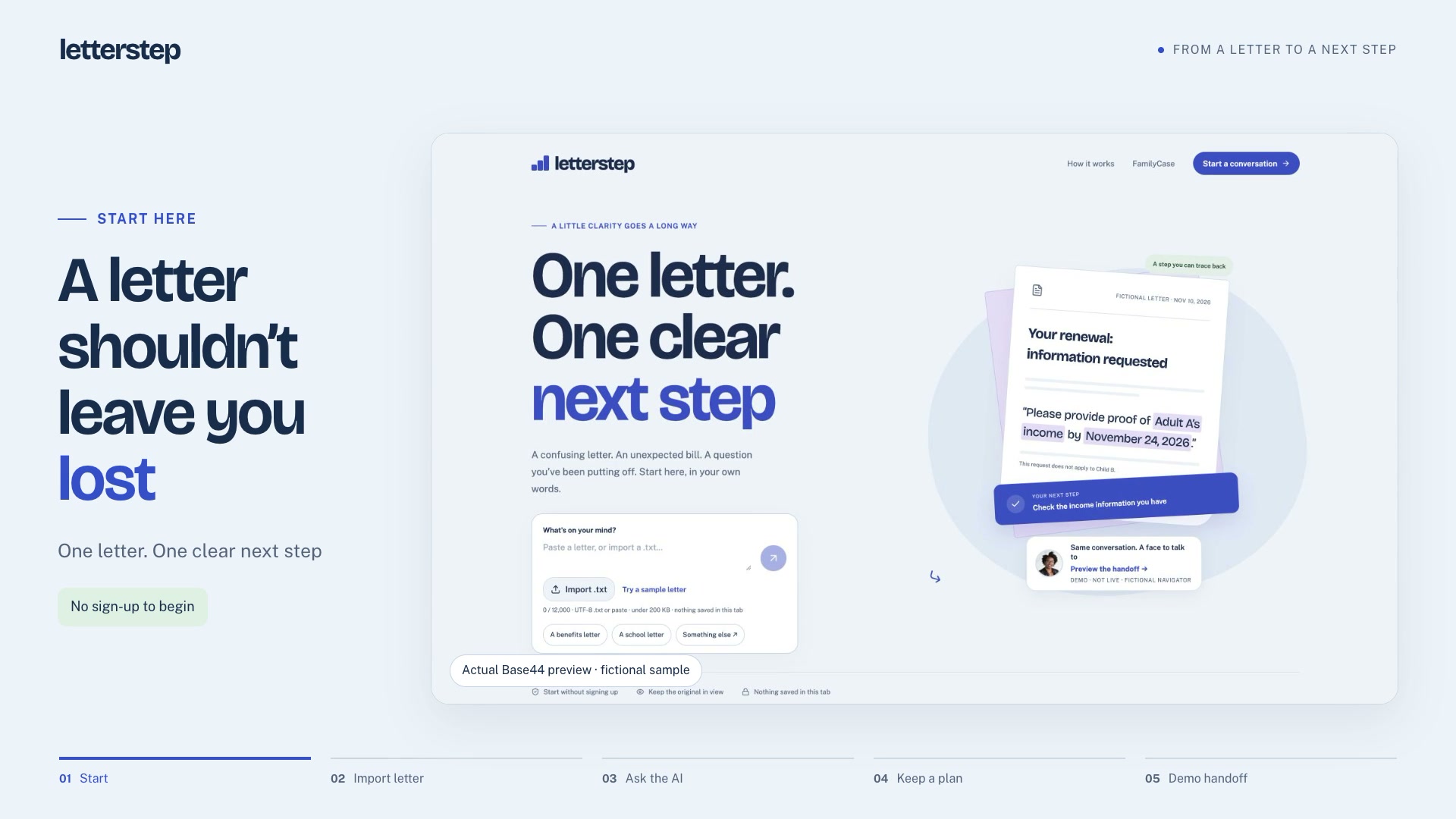
A difficult letter can turn an ordinary task into a source of anxiety, especially when it concerns a child, benefits, or health insurance. I made Letterstep to help people understand what a letter says, what it asks of them, and where to begin.
You can paste text or import a TXT file, then ask questions in chat. Letterstep explains the letter in plain language, separates action deadlines from other dates, and ties proposed steps to specific wording in the original.
Below is the preserved interface of the published Letterstep from Base44. The local copy retains original components, fonts, and prepared examples. Cloud requests and live AI are disabled.
Letterstep opening screen
Archived interface · demo data
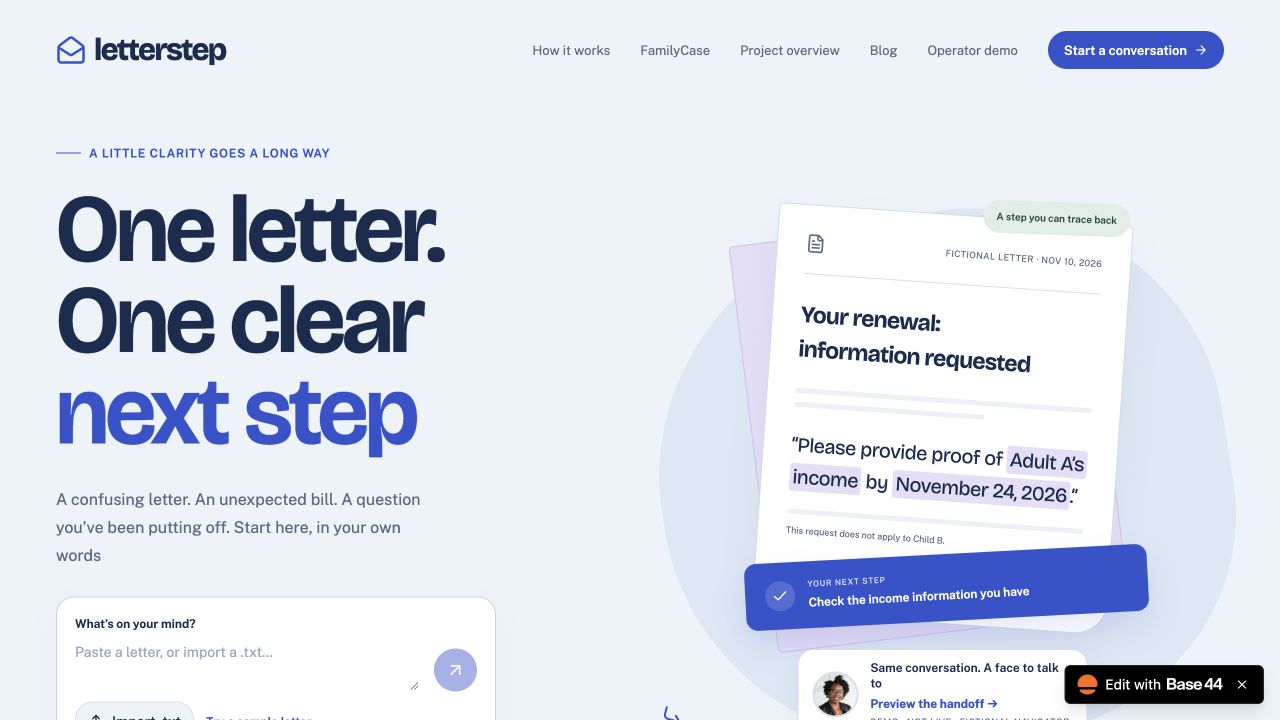
Users choose the tasks they want to keep, then download or print them with supporting quotations. The original letter stays close by, so they can return to the relevant passage and check where a suggestion came from.
Several letters about one situation
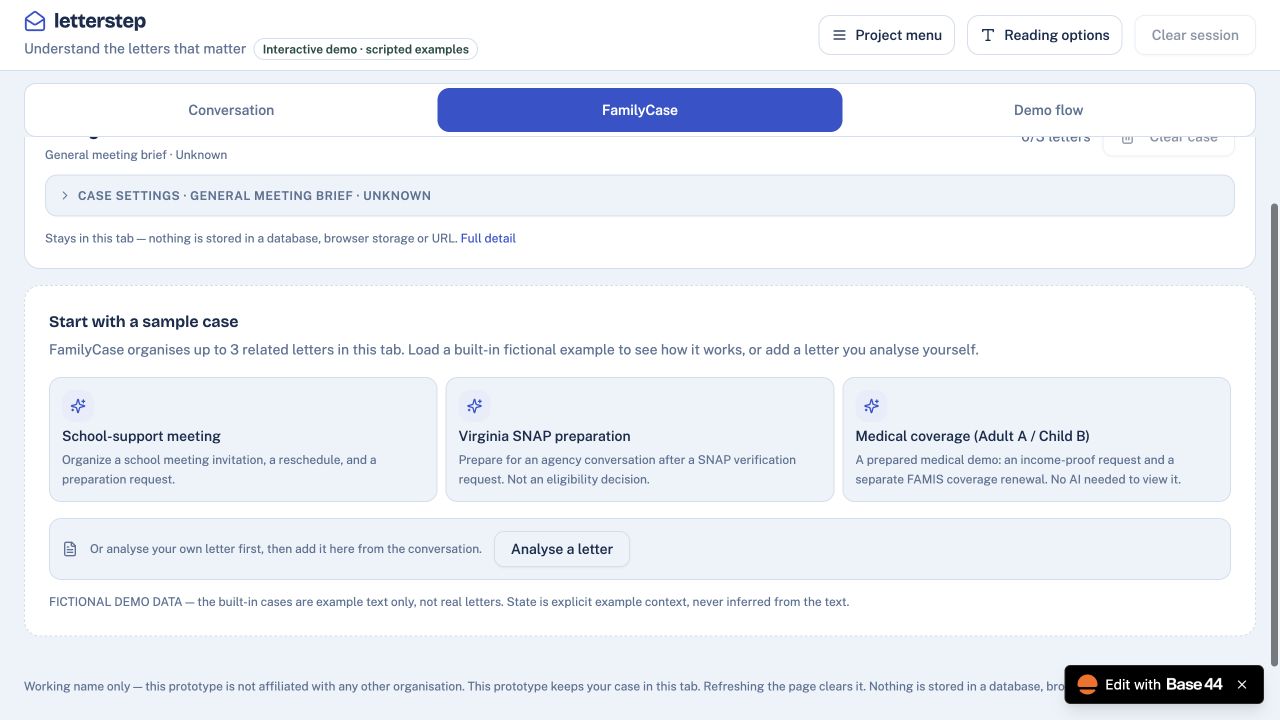
FamilyCase connects related letters. The demo uses fictional examples: a school meeting, preparing to apply for SNAP in Virginia, and health coverage questions. Its purpose is to help a family prepare for a conversation. It does not determine benefit or insurance eligibility and does not replace professional advice.
This screen opens a prepared conversation about letters. Questions can be selected on the left and explanations checked against materials on the right. The scenario’s answers are prepared in advance and do not need an AI request.
A conversation about a letter
Archived interface · demo data
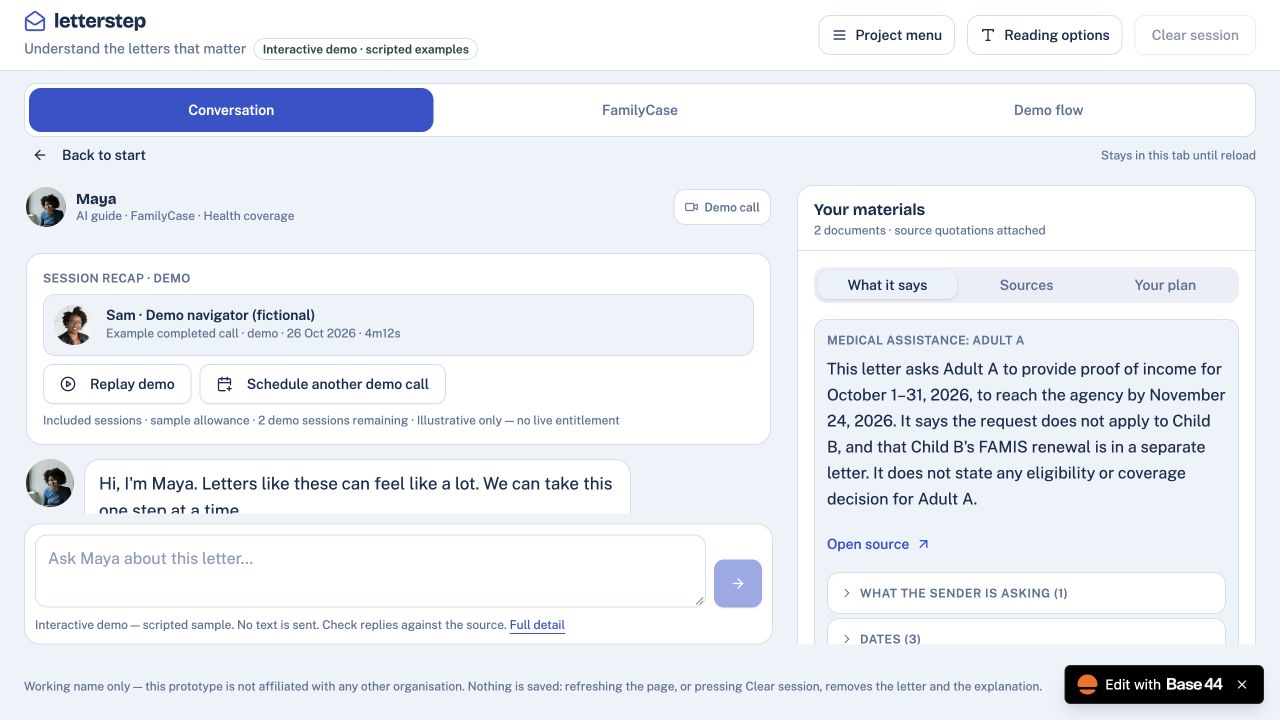
The demo also includes handing context to a navigator within the same chat. Users review the information to be shared before continuing. The call is explicitly labelled a simulation: no real operator joins.
FamilyCase gathers documents for one demonstration case. You can switch views and examine the connections between letters, preparation, and the overall history. These fictional examples do not concern a real family.
Documents for one case
Archived interface · demo data
How I built and checked the interface
I first designed the interaction locally, then implemented and refined it with Codex and Base44. In Chrome, I checked mobile layouts, real text-file imports, AI answers, links to source text, and exports of selected tasks.
I wanted to make a confusing moment a little clearer: a calm interface, the original letter within reach, and a concrete next action. The video below shows that journey.
This screen opens an action plan for a prepared example. It sits beside the source materials so the next step can be compared with what the letter actually says. It is a prototype interface, not a decision on a real application.
Next-step plan
Archived interface · demo data
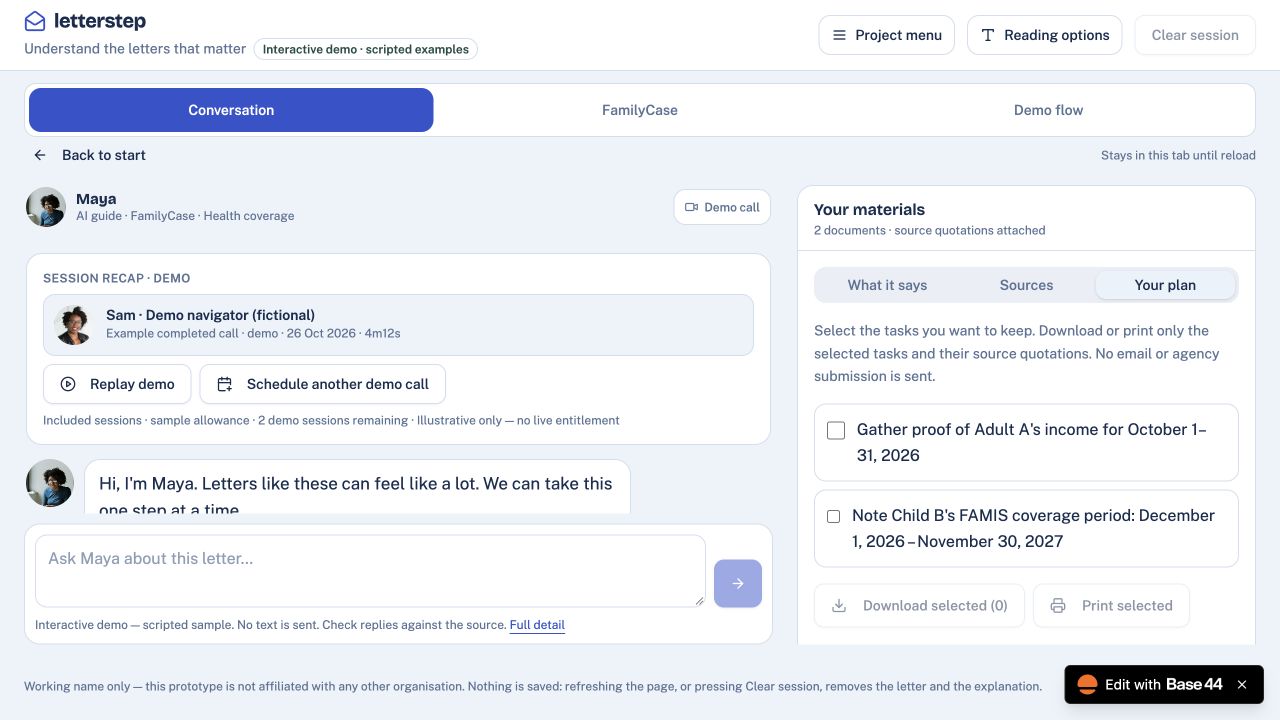
The prepared example allows the whole path: choose a question, find a supporting quotation in Sources, and move to an action plan. It tests interaction on fictional data. Live AI is a separate mode subject to a cloud quota; real calls and operators are not connected.
Project screens and recordings
Related stories: Source and Operator · Nevsky OS.

@nevsky_alexander
On Instagram: Dubai beyond the postcard — family, the city, discoveries and life between projects. On Threads: thinking out loud about design and AI. On YouTube: videos that need more room than a story. Follow me wherever you feel at home, and let’s keep in touch