
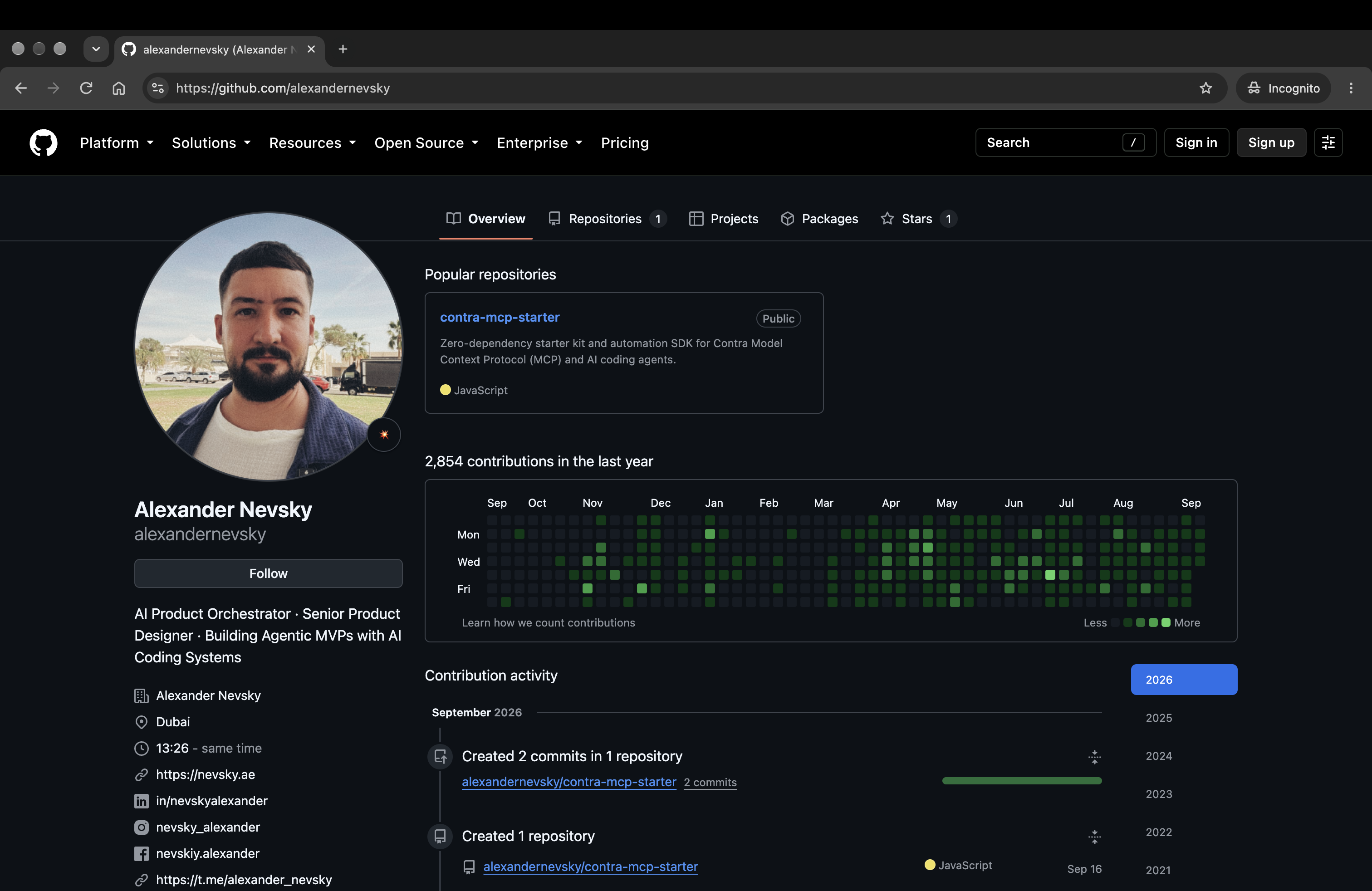
I made Contra MCP Starter Toolkit public: a set of tools I assembled for an AI agent to work with my Contra account. It is based on connecting to the platform’s MCP server and following a clear sequence before changing a profile or portfolio.
MCP access alone is not enough. You need OAuth authorisation, PKCE handling, code-to-token exchange, a configured client and a connection that survives session expiry. More importantly, the agent must prepare changes and show them to me before writing them to the account.
What I built
npm run auth starts authorisation in the browser. A local handler receives Contra’s response and exchanges the code for tokens. The client can refresh an expired token and retry an MCP request. It uses Node.js built-ins fetch, crypto, http and fs, with no external dependencies.
The toolkit includes instructions for Cursor, Google Antigravity, Claude Code and Windsurf. They follow prepare → confirm: prepare a change, show the before and after, get confirmation and then write it. An agent simply deciding that the new copy is better is not enough.
I added ready-made prompts for reviewing an account, rebuilding services, updating a profile and preparing case studies. They work without writing your own JavaScript. Separate Markdown templates cover profile positioning, core services, pricing, FAQs and portfolio structure.
The portfolio as working material
I wanted to work on my professional profile as systematically as on a project: let the agent read its current state, compare sections and prepare consistent changes. The final decision to write remains mine.
This is particularly useful when the same projects appear on a personal website, in a portfolio and in services. Structured tools give the agent access to specific fields and actions, and let me check the result before publication.
The result is an open client and examples of working with Contra MCP. An agent can prepare content, while a specific profile change is checked first. The toolkit is neither my own portfolio platform nor a separate AI model.
Code and instructions on GitHub. My Contra profile.
Project screens and recordings
Related stories: The earlier Content OS.

@nevsky_alexander
On Instagram: Dubai beyond the postcard — family, the city, discoveries and life between projects. On Threads: thinking out loud about design and AI. On YouTube: videos that need more room than a story. Follow me wherever you feel at home, and let’s keep in touch