Here I write about design, working with AI, digital products, real estate and family life in Dubai. I need a website where all of this can live together: articles, photographs, work projects and interactive tools.
It started with Framer
I built my first website on Framer. It is still available at nevskii.me and serves as my product design portfolio.
Later, I started a separate blog on Ghost Pro. I bought the Scope theme from Priority Vision and began customising it. I worked on the theme through GitHub and GitHub Actions. Alongside that work, I kept writing and building up the content, paying $35 a month for Ghost Pro.
Over time, the site developed its own design and history of changes. I wanted to preserve all of that through the next move.

Why I moved to Astro
At some point, I decided it would be simpler to build the site with Astro. I ported the theme’s design and continued working on it in code.
Astro assembles pages from components and can generate finished HTML in advance. That suits a blog: the article text, photographs and navigation can arrive in the browser already laid out. Readers do not have to wait for JavaScript to build the page on their device.
The move meant porting article templates, publication lists, galleries, menus, and the light and dark themes. Individual pages can have different layouts. An article with photographs and a stream of notes do not have to look the same.
The blog’s appearance is still based on Scope, but its templates now run in Astro. Framer remains a separate portfolio and one of the visual references.

Then came EmDash
When the first version of EmDash appeared, I decided to move all the content into it. We are still working on that migration and on developing the site.
EmDash serves as the CMS, the site’s content management system. This is where I work on articles, pages and their translations, change image captions and edit shared interface copy. Content has draft and published versions.
The code and the content are separate. Astro components determine how an article or gallery is displayed. EmDash stores what goes into them. Editing a paragraph therefore does not mean hunting through template files, and changing the design should not create another copy of the article.

How it fits together
The website has an editor, a build process and a public version.
I edit content in EmDash. Text and publication information are stored in the Cloudflare D1 database. Uploaded media use Cloudflare R2 object storage: photographs and other files are kept separately from the website’s code.
For a release, Astro takes a snapshot of the published content and builds the pages. Links to translations, the sitemap and the search index are prepared alongside them. Drafts are excluded from the build.
The finished website runs on Cloudflare Workers and is served through Cloudflare’s infrastructure. A normal article page does not contact the editor or database every time it is opened: its HTML has already been built. Search uses the index from the same published release.
A piece of content follows this path:
EmDash → published version in D1 → Astro build → Cloudflare → readerImages are prepared separately. The originals are preserved, and appropriately sized variants are generated for the pages. They are served through cdn.nevsky.ae, so a small card, for example, does not have to load a full-size photograph.

The build can reuse previously verified pages and resources when their dependencies have not changed. Changes to shared components or the site structure may require a full rebuild.
Where Svelte is used
The project uses Svelte for more complex interactions. It powers search and feed filtering in separate presentations: readers can change a query or category, update the results and keep their chosen parameters in the page URL.
Astro lets these components be added individually. An article remains a normal HTML page, while an interactive block receives its own JavaScript where it is needed. Svelte is not loaded on every page of the main blog.
Menus, theme switching and other small elements can use plain JavaScript. They do not require a separate Svelte component.

One piece of content in seven languages
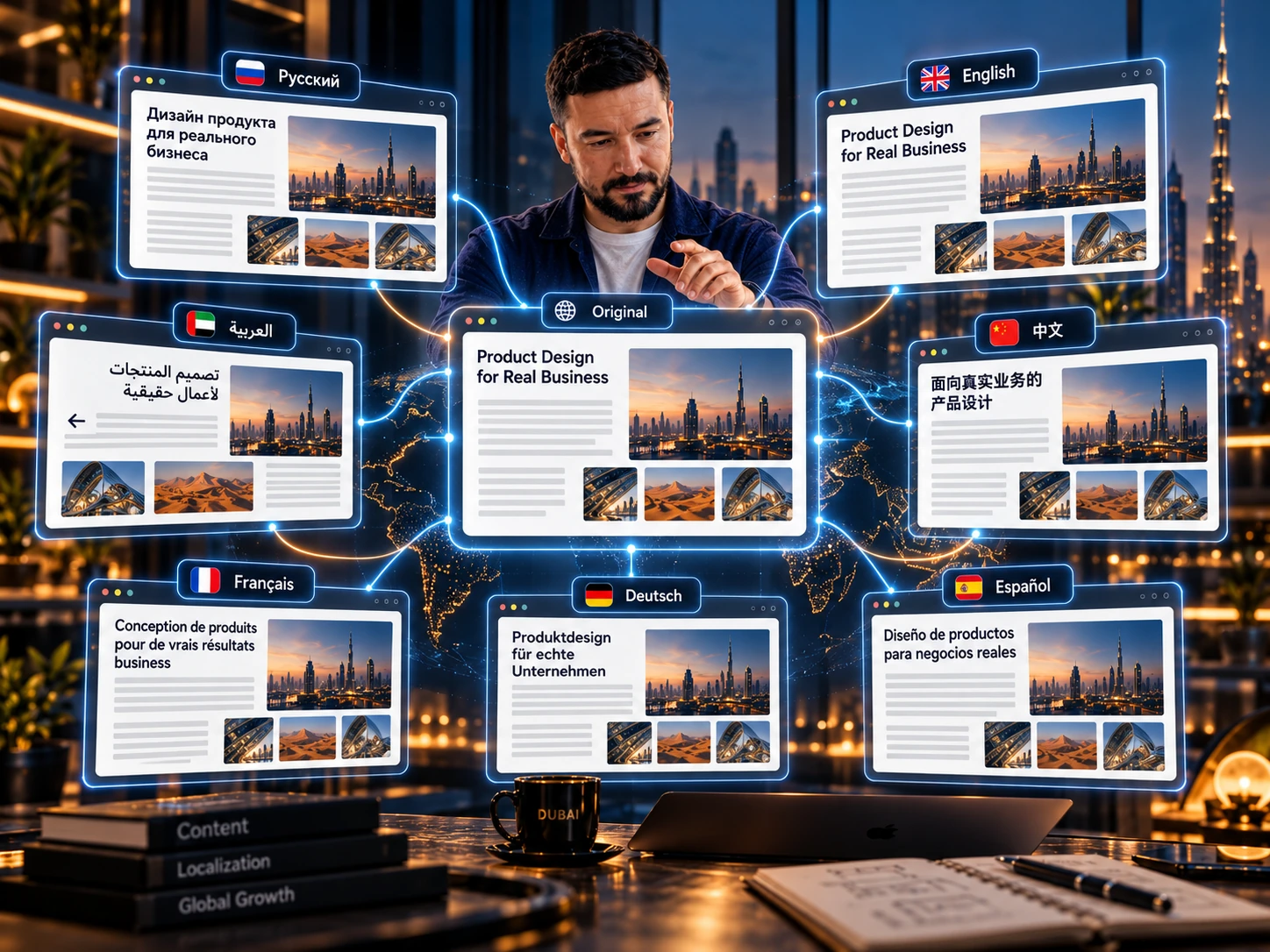
The website supports Russian, English, Arabic, Chinese, French, German and Spanish. Russian is the source language for the content.
In EmDash, an article is stored as a single document. It has one shared sequence of blocks and images, with language versions for the text, headings, captions and SEO fields.
This keeps translations connected. When I change the order of photographs, I do not have to repeat the same rearrangement manually in seven separate articles. Each language version can still have its own URL and publication status.
Pages link to the corresponding translations and include hreflang markup for search engines. The Arabic version accounts for right-to-left writing. When a translation is published, the language switcher takes readers to that version of the current piece of content.
Design and code
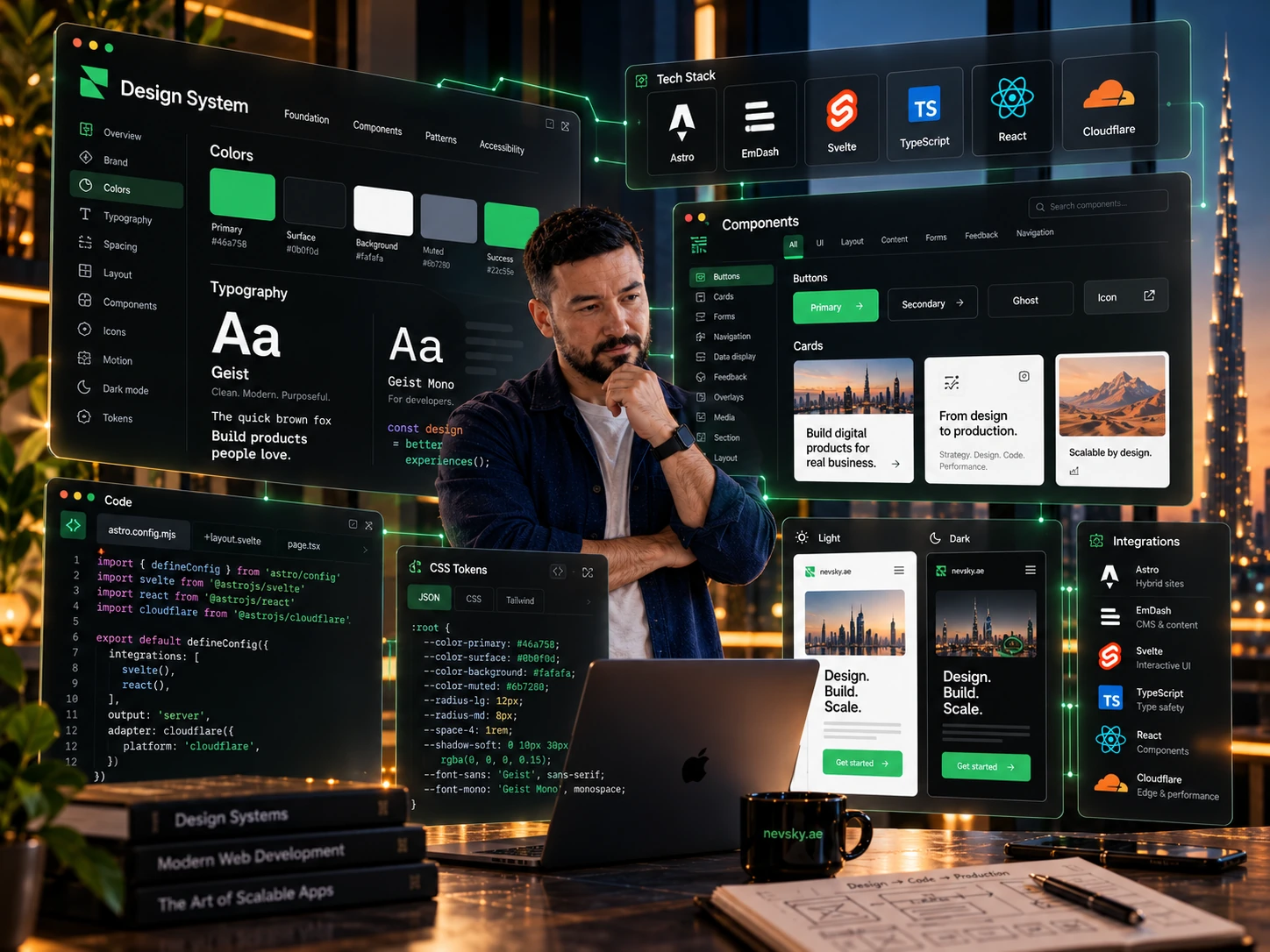
Scope’s typography and structure remain the basis of the design. Shared colours, buttons and other recurring elements are documented in the design system.
The primary accent colour is currently #46a758. The site uses locally served Geist and Geist Mono fonts, light and dark themes, and Remix Icon icons. Styles are written in plain CSS.
The palette and component examples are collected on the public design system page. Technical rules and tokens are documented in design.md, so new pages use the same colours, sizes and button states.
Technical stack in October 2026
The project runs on Astro 7.3.8 and EmDash 1.2.0. Complex interactive views use Svelte 5.57.1, with TypeScript 6.0.3 as the application language. Cloudflare integration uses @astrojs/cloudflare 14.3.4. The EmDash editor uses React 19.2.4; its whole-document editing mode is built on Ghost Koenig and Lexical. These are the versions in the project dependencies on 19 October 2026.
Each layer has a job. Astro handles HTML and templates, EmDash handles editorial content and revisions, and Svelte handles interactive components. Cloudflare Workers run server code, D1 stores editorial data, and R2 stores media and private build packages. The design uses plain CSS: variables, responsive grids, component states and distinct page compositions.
Why this stack
Most blog content is known before a reader requests it. Headings, articles, photographs and publication lists can be built in advance. The main site therefore serves static HTML through Cloudflare Workers Assets. Its public runtime has no D1 connection: the editor and build need the database, but reading an article makes no CMS queries.
Astro also supports complex interfaces. In separate views, Svelte components control interactive feeds and display settings. Ordinary articles do not need hydration. Search, menus and appearance controls use their own small scripts. I can choose a tool for each block’s behaviour and control how much JavaScript reaches the reader.
The editorial document as a data model
An EmDash content item contains locales, fields, a shared blocks array and presentation bindings. Each block has a stable ID, shared structure and media, with text stored in language cells. A gallery has one image order; captions and alt text are localised. Moving a photograph changes one structure for every translation.
Russian is the source language. English, Arabic, Chinese, French, German and Spanish editions live in the same document. Each has its own path and publication status. Changes to the source can flag an outdated translation through sourceHash. Translation import checks IDs, the source hash and the number of text fragments, so a model response cannot restructure the content item or lose an image.
Shared labels, menus and settings also belong to EmDash. Content items can reference fields owned by another document. Public views resolve those references from published documents. The same label does not become seven independently editable copies, and changing navigation does not mean hunting for text inside templates.
Custom editor plugins
I built the native nevsky-multilingual 1.0.0 plugin for this model. It connects the editor and the beforeSave, beforePublish and beforeSchedule checks. The plugin validates document structure, language editions, paths and required data. Translations are added inside the content item. Publishing or unpublishing sends a signal to the release system.
Whole-document mode uses the Ghost Koenig editor. Block mode remains available alongside it; both edit the same document. A separate plugin, nevsky-grid 0.1.0, connects content to layout: it validates the composition’s material identity, block references and layout revision. Changing the arrangement preserves the editorial source.
AI helps prepare writing and translations, while the plugins validate the result before saving and publication. I can prepare a text in a ChatGPT project or chat, edit it with our humanizer rules and transfer it into one multilingual content item. The built-in server translation provider is currently unconfigured: the workflow uses a prepared, reviewed translation.

How builds and releases work
The build reads only native published revisions through live_revision_id, together with published category, tag and author relations. Drafts stay out of the export. A release records the source version and a fingerprint of published data. If someone publishes new content or changes the code during the build, a fresh check stops the outdated release.
For repeat builds, I developed page-level dependency tracking. During rendering, the adapter records SQL queries, parameters and result hashes. On the next release it runs them against a fresh snapshot: a changed result requires a page render. Unchanged HTML can be reused. This covers feed membership and order, empty results, authors, shared fields and related cards. Changes to code, dependencies, environment or route inventory select a full rebuild.
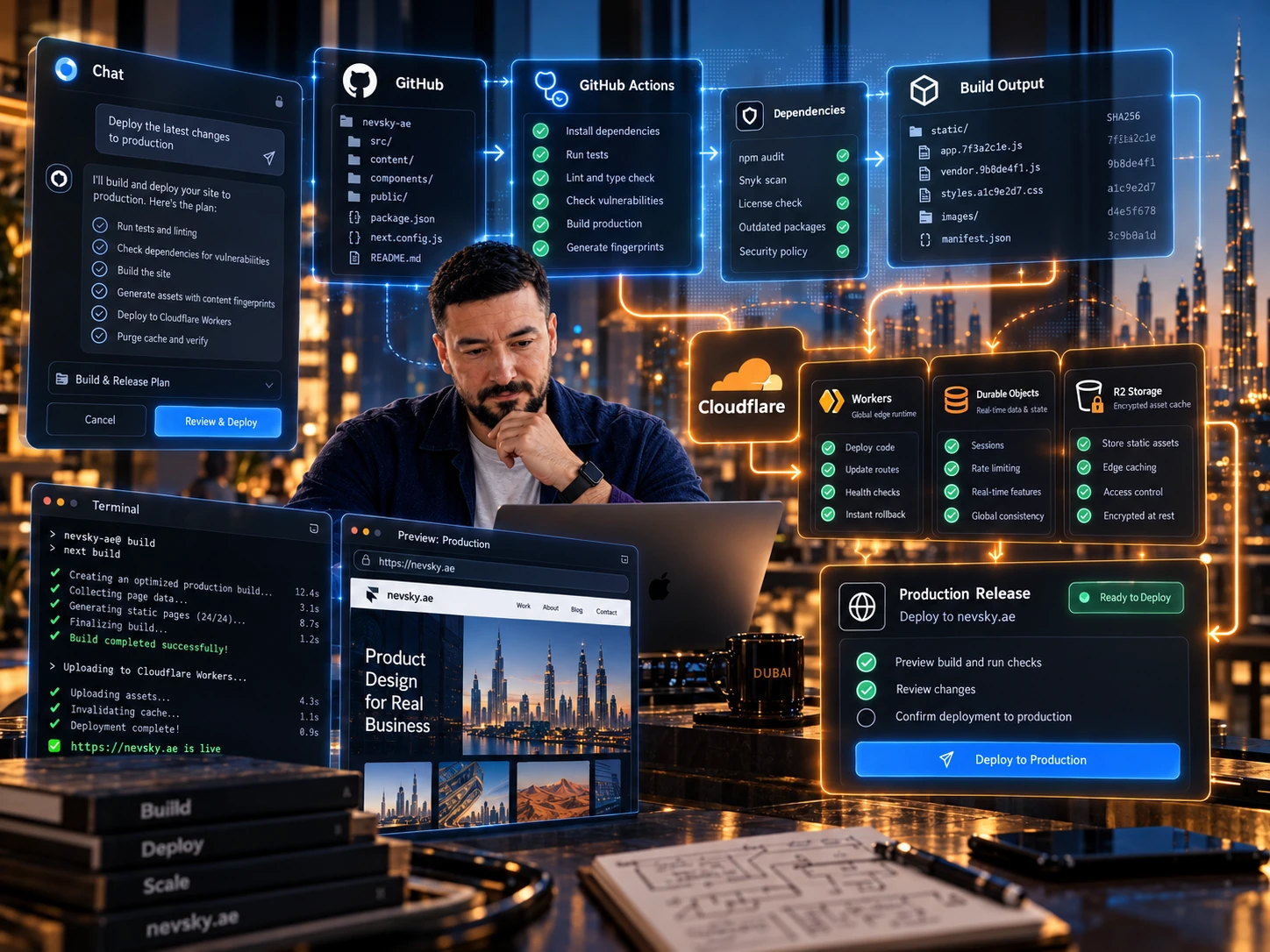
The result is assembled into a complete package containing HTML, the search index, styles, media and machine-readable files. The package is checked locally before a new Worker version is uploaded. Public URLs and release metadata are checked after upload. A failed check can trigger a return to the previous version. Source and published data are checked again immediately before upload.
Cloudflare, cloud builds and working from chat
The editor, D1, R2 and public delivery already run on Cloudflare; the code lives in GitHub. A private publisher built on Workers and Durable Objects is ready for cloud releases. It receives EmDash events, batches nearby publications and can start a checked build through GitHub Actions. I currently keep automatic dispatch disabled and release production manually through the terminal with the same checks.
Accepted build packages can be stored in a private R2 cache encrypted with AES-256-GCM. A package contains generated output, dependencies and checksums. Drafts, the CMS database and secrets are excluded. Source, environment and file integrity are checked before reuse. Such a package supports continuing a build in another environment; a new OS or toolchain version first needs its own complete baseline.
I am moving more of the workflow into the cloud so site tasks can start from a project or chat without depending on my work computer staying on. Preparing copy, editing code and releasing remain separate actions. A conversational interface still needs drafts, change checks and publication control.
Technical SEO in the build
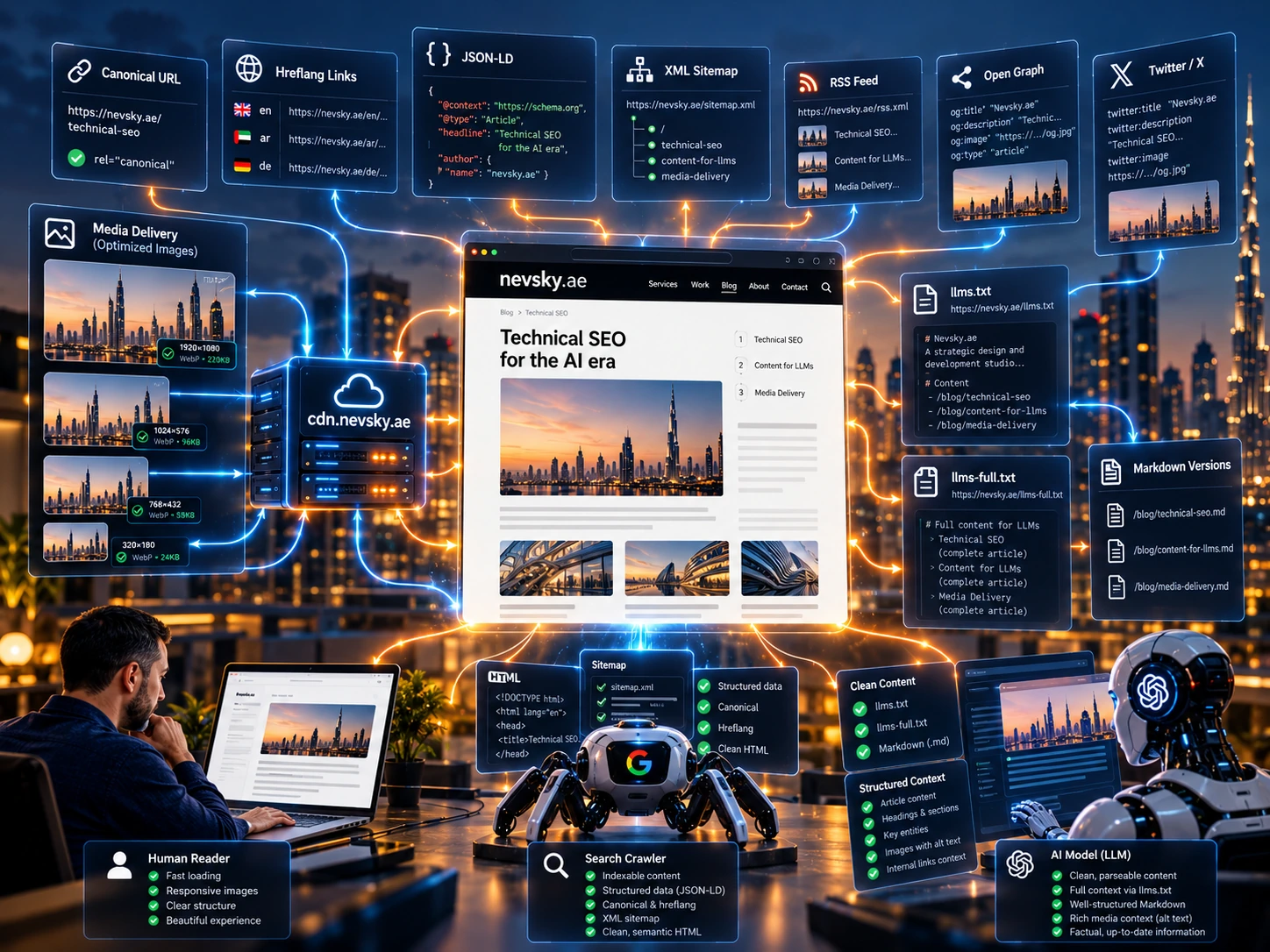
Every published language edition has its own URL, canonical, lang and hreflang links to the matching translations. The default language has x-default. Arabic pages receive dir="rtl". Titles, descriptions, Open Graph and Twitter metadata come from the same EmDash document as the visible text.
JSON-LD describes the WebSite and the specific page type: BlogPosting for an article, ProfilePage for an author, CollectionPage for a collection and WebPage for an ordinary page. Authorship and dates come from editorial data. Sitemaps are split by content type; RSS is built from published content. Build checks traverse the full graph of internal links, canonicals, hreflang and sitemap URLs, beyond checking that a few meta tags exist.
Content for LLMs
Published content automatically produce Markdown page versions, plus llms.txt and llms-full.txt in seven languages. The short file provides a profile, languages and content links; the full file contains extended text output. The machine-readable version shares the site’s editorial source. I do not maintain a separate biography for robots.
AI tools get text with headings, links and source URLs that they can read without parsing the page interface. Building a release updates the whole related set. For me, this brings editorial work, SEO and AI together: each piece of content needs to be presented carefully for a person, a search crawler and a model.
Media delivery and verification
Media are served separately from HTML. The build selects responsive image variants, preserves original-file links and checks derivatives. Lossless optimisation compares decoded pixels where applied. Character coverage is prepared for the locally hosted Geist and Geist Mono fonts; missing glyphs use a system fallback. Remix Icon uses local CSS masks.
Changes go through type checks, data-model and publication tests, presentation builds, dependency audits and browser scenarios. The published version is checked separately: a successful local build does not prove the correct HTML, font and translation reached a public URL. Each release records its source version, content fingerprint and verification results.
How I keep working on the site
I edit content in EmDash and keep the code on GitHub. I use AI tools to work on the code; changes are checked through builds, tests and browser reviews. GitHub Actions was already part of the work on the Ghost theme. The current project also has a separate terminal release path, with checks before upload and after deployment.
Saving text creates a draft. Publishing in EmDash and delivering a new version to the public website are separate steps. For now, website releases are started manually after checks.
The migration is still underway. Publications in seven languages, a shared content library and several ways of presenting that content are already working. I am continuing to develop the editor, design and interactive pages on that foundation.
What I can build on this foundation
I can design and build a similar site for an author, studio or business: migrate content from a previous CMS, preserve URLs, configure several languages and shape the editor around real content work. For a catalogue or a project with a complex presentation, I can add interactive components and custom page compositions.
This work combines my product design experience with AI-assisted development. I can take a project through its content structure, interface, editorial plugins, cloud delivery and published-result verification. If you need a site like this, message me on Telegram and show me what you want to publish and how you plan to work with it.
@nevsky_alexander
On Instagram: Dubai beyond the postcard — family, the city, discoveries and life between projects. On Threads: thinking out loud about design and AI. On YouTube: videos that need more room than a story. Follow me wherever you feel at home, and let’s keep in touch